500+ Mainframe Interview Questions & Answers
Master COBOL, JCL, DB2, CICS, and VSAM interview preparation with topic-wise questions, detailed answers, real-world scenarios, and frequently asked interview questions from top IT companies.
- 500+ Interview Questions
- Beginner to Advanced Level
- Real-Time Scenario Based Questions
- IBM Mainframe Technologies Covered
- Updated for Current Industry Standards
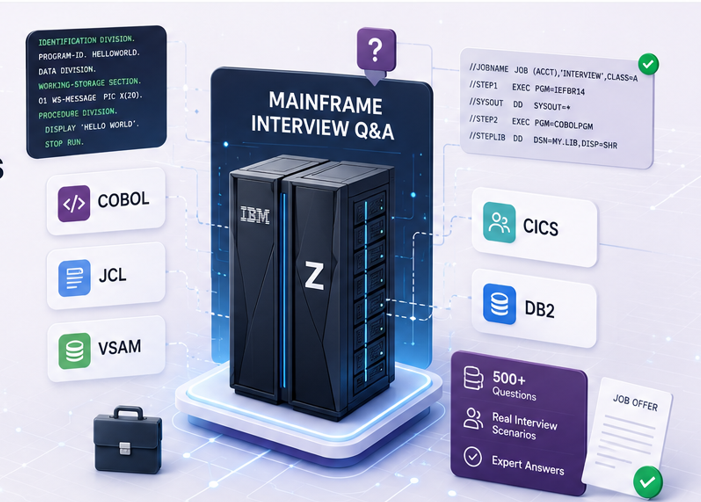
Mainframe Interview Q&A
Collection of frequently asked interview questions and answers for COBOL, JCL, DB2, CICS and VSAM.
COBOL Questions (30)
Expand allINDEXED BY creates an index for efficient table processing.
Example:
05 EMP-NAME PIC X(20)
   OCCURS 100 TIMES
INDEXED BY EMP-IDX.| SEARCH | SEARCH ALL |
|---|---|
| Linear Search | Binary Search |
| Slower | Faster |
| No sorting required | Table must be sorted |
CALL transfers control from one program to another.
Example:
CALL 'SUBPROG'LINKAGE SECTION is used to receive data from the calling program.
The Linkage Section is used for communication between programs.
Example:
LINKAGE SECTION.
01 LK-CUSTOMER-ID PIC X(10).Static CALL (program name is fixed):
CALL 'PAYROLL'Dynamic CALL (program name is determined at runtime):
CALL WS-PROGRAM-NAMEEVALUATE works like a CASE statement.
Example:
EVALUATE WS-GRADE
   WHEN 'A'
      DISPLAY 'EXCELLENT'
   WHEN 'B'
      DISPLAY 'GOOD'
   WHEN OTHER
      DISPLAY 'AVERAGE'
END-EVALUATECONTINUE does nothing and passes control to the next statement.
NEXT SENTENCE transfers control to the next period (.).
In modern COBOL, CONTINUE is generally preferred.
SSRANGE is a compiler option used to detect array index errors during execution.
Benefits: Prevents table overflow and helps debugging.
Inline PERFORM executes statements without creating a separate paragraph.
Example:
PERFORM
   ADD 1 TO WS-COUNT
   DISPLAY WS-COUNT
END-PERFORM| Batch Program | Online Program |
|---|---|
| Runs in bulk | User interactive |
| Uses files | Uses transactions |
| Scheduled execution | Real-time execution |
| Usually under JCL | Usually under CICS |
Examples: Salary processing → Batch, ATM withdrawal → Online CICS program.
CALL BY REFERENCE: The called program receives the actual memory address.
CALL 'SUBPROG' USING WS-AMOUNTChanges made in the subprogram affect the calling program.
CALL BY CONTENT: The called program receives a copy of the data.
CALL 'SUBPROG' USING BY CONTENT WS-AMOUNTChanges made in the subprogram do not affect the original data.
The INITIAL clause causes Working-Storage items to be initialized whenever the program is called.
Example:
PROGRAM-ID. TESTPROG IS INITIAL.Benefit: Ensures fresh data values for each execution.
| INDEX | SUBSCRIPT |
|---|---|
| Internal displacement value | Numeric occurrence number |
| Faster | Slightly slower |
| Used with SET statement | Used directly |
Examples:
Subscript:
MOVE EMP-NAME(5) TO WS-NAMEIndex:
SET EMP-IDX TO 5SEARCH ALL performs a binary search on a table.
Requirements:
- Table must be sorted
- OCCURS clause with INDEXED BY
Example:
SEARCH ALL EMP-TABLE
   WHEN EMP-ID(EMP-IDX) = WS-ID
      DISPLAY 'FOUND'
END-SEARCH
Benefits: Faster than SEARCH, efficient for large tables.
INSPECT is used to count, replace, or convert characters within a string.
Example (Count):
INSPECT WS-NAME
   TALLYING WS-COUNT
   FOR ALL 'A'
Example (Replace):
INSPECT WS-NAME
REPLACING ALL 'A' BY 'X'STRING combines multiple fields into one field.
Example:
STRING WS-FIRST-NAME
       SPACE
       WS-LAST-NAME
INTO WS-FULL-NAME
END-STRING
Output: PUNIT KUMAR
UNSTRING splits a string into multiple fields.
Example:
UNSTRING WS-NAME
   DELIMITED BY SPACE
   INTO WS-FIRST-NAME
        WS-LAST-NAME
END-UNSTRING
Input: PUNIT KUMAR → Output: PUNIT / KUMAR
Reference Modification allows accessing part of a field.
Syntax: field(start:length)
Example:
MOVE WS-NAME(1:5) TO WS-FIRSTIf WS-NAME = 'PUNITKUMAR' then WS-FIRST = 'PUNIT'.
SYNC aligns data items on natural machine boundaries to improve performance.
Example:
01 WS-COUNT PIC S9(4) COMP SYNC.Benefits: Faster processing and better hardware alignment.
CONTINUE is a no-operation statement that passes control to the next statement.
IF WS-FLAG = 'Y'
   CONTINUE
END-IF
EXIT is used to exit a paragraph or indicate the end of a section.
EXIT.Difference:
| CONTINUE | EXIT |
|---|---|
| Executable statement | Paragraph/section terminator |
| Does nothing | Transfers control |
| Used in logic blocks | Used in program structure |
JCL Questions (30)
Expand allDISP defines dataset status and what happens after job completion.
Syntax: DISP=(status,normal-action,abnormal-action)
Example: DISP=(NEW,CATLG,DELETE)
Meaning: NEW → Create dataset, CATLG → Catalog if job succeeds, DELETE → Delete if job fails.
| Status | Meaning |
|---|---|
| NEW | Create dataset |
| OLD | Exclusive use |
| SHR | Shared use |
| MOD | Append data |
Example: DISP=SHR
GDG (Generation Data Group) is a collection of related datasets with automatic version management.
MY.FILE.GDG(+1)
MY.FILE.GDG(0)
MY.FILE.GDG(-1)
+1 = New generation, 0 = Current generation, -1 = Previous generation.
PROC is a reusable set of JCL statements.
Example:
//MYPROC PROC
//STEP1 EXEC PGM=SORT
//PEND
Usage: //JOB1 EXEC MYPROC
Benefits: Reusability, reduced coding effort.
| In-Stream PROC | Cataloged PROC |
|---|---|
| Inside JCL | Stored in PROC library |
| Job specific | Reusable across jobs |
| Less flexible | Widely used |
COND controls execution of steps based on previous return codes.
Example: COND=(4,LT)
Meaning: Skip current step if previous return code is less than 4.
A return code indicates job execution status.
| RC | Meaning |
|---|---|
| 0 | Successful |
| 4 | Warning |
| 8 | Error |
| 12 | Serious Error |
| 16 | Severe Error |
REGION specifies memory allocation for a job or step.
Example: REGION=0M
Meaning: Use all available memory.
A temporary dataset exists only during job execution.
Example: DSN=&&TEMPFILE
Characteristics: Not cataloged, deleted automatically after job completion.
Symbolic parameters allow dynamic values in procedures.
Example:
//MYPROC PROC PGMNAME=COBPROG
//STEP1 EXEC PGM=&PGMNAME
Usage: //EXECPROC EXEC MYPROC,PGMNAME=TESTPROG
Used to restart a failed job from a specific step.
Example: RESTART=STEP3
Benefit: Avoids rerunning completed steps.
IEBGENER is used to copy sequential datasets.
Example: //STEP1 EXEC PGM=IEBGENER
Uses: Dataset copy, backup creation, printing.
IEBCOPY copies partitioned datasets (PDS).
Example: //STEP1 EXEC PGM=IEBCOPY
Uses: Copy PDS members, compress PDS.
SORT is used to sort datasets.
Example: //STEP1 EXEC PGM=SORT
Sort control: SORT FIELDS=(1,10,CH,A)
Meaning: Sort first 10 characters in ascending order.
IDCAMS is used for VSAM dataset operations.
Example: //STEP1 EXEC PGM=IDCAMS
Common commands: DEFINE, DELETE.
IEFBR14 is a “do-nothing” IBM utility (it simply ends with RC=0). It’s commonly used to create or delete datasets via DD statements and DISP.
Example (create):
//STEP1 EXEC PGM=IEFBR14
//OUTDD DD DSN=MY.DATASET,DISP=(NEW,CATLG,DELETE),
// SPACE=(TRK,(5,2)),UNIT=SYSDAPARM passes parameters from JCL to the program (via the EXEC statement).
Example:
//STEP1 EXEC PGM=MYPROG,PARM='MODE=TEST,DATE=20260616'The program reads the value from its runtime parameter area.
DD DUMMY tells the program there is no real input/output dataset (treated as empty input or discarded output).
DD * is used for in-stream data (data provided directly inside the JCL).
Examples:
//INP  DD DUMMY
//SYSIN DD *
  SORT FIELDS=(1,10,CH,A)
/*SYSIN is typically used to provide control statements/input parameters to utilities (like SORT, IDCAMS, etc.).
SYSPRINT is typically used to capture reports/messages/output listings produced by utilities.
DB2 Questions (30)
Expand allA Tablespace is a physical storage structure that contains one or more tables.
Benefits: Organizes data storage, improves performance, simplifies space management.
Example:
CREATE TABLESPACE TS_EMP
IN DB_EMP;An Index is a database object used to speed up data retrieval.
Example:
CREATE INDEX IX_EMP_ID
ON EMPLOYEE(EMP_ID);
Benefits: Faster SELECT queries, reduced table scans.
A Clustered Index determines the physical order of rows in a table.
Example:
CREATE UNIQUE INDEX IX_EMP
ON EMPLOYEE(EMP_ID)
CLUSTER;
Benefits: Faster range scans, improved sequential access.
A Cursor is used to process query results one row at a time.
Steps: DECLARE → OPEN → FETCH → CLOSE
Example:
DECLARE C1 CURSOR FOR
SELECT EMP_ID, EMP_NAME
FROM EMPLOYEE;| Cursor | SELECT INTO |
|---|---|
| Multiple rows | Single row |
| Requires FETCH | Direct retrieval |
| More processing | Simpler |
Example:
SELECT EMP_NAME
INTO :HV-NAME
FROM EMPLOYEE
WHERE EMP_ID = 100;A Package contains executable SQL statements generated during the bind process.
Benefits: Better performance, SQL execution control, security management.
A Plan is an executable structure that references one or more packages.
Relationship: Application Program → Package → Plan
BIND creates a package or plan from SQL statements.
Example: BIND PACKAGE(...)
Benefits: Optimizes SQL, creates access paths.
REBIND regenerates access paths without recompiling the program.
Example: REBIND PACKAGE(PKGNAME)
When used: Statistics changed, performance tuning required.
RUNSTATS collects table and index statistics.
Example: RUNSTATS TABLESPACE DB1.TS1
Benefits: Better optimizer decisions, improved query performance.
EXPLAIN shows how DB2 will execute an SQL statement.
Example:
EXPLAIN PLAN FOR
SELECT * FROM EMPLOYEE;
Uses: Performance analysis, query tuning.
A Primary Key uniquely identifies each row in a table.
Example:
CREATE TABLE EMPLOYEE
(
 EMP_ID INTEGER PRIMARY KEY,
 EMP_NAME VARCHAR(50)
);
Rules: Unique, cannot be NULL.
A Foreign Key establishes a relationship between tables.
Example:
ALTER TABLE ORDERS
ADD CONSTRAINT FK_CUST
FOREIGN KEY (CUST_ID)
REFERENCES CUSTOMER(CUST_ID);Referential Integrity ensures consistency between parent and child tables.
Benefits: Prevents orphan records, maintains data accuracy.
| CHAR | VARCHAR |
|---|---|
| Fixed length | Variable length |
| Wastes space | Saves space |
| Faster access | Flexible storage |
Example: NAME CHAR(20), CITY VARCHAR(50)
SQLCODE indicates the result of SQL execution.
| SQLCODE | Meaning |
|---|---|
| 0 | Success |
| +100 | No rows found |
| -305 | NULL value error |
| -911 | Deadlock/Rollback |
Example:
IF SQLCODE = 0
   DISPLAY 'SUCCESS'
END-IFSQLCA (SQL Communication Area) stores SQL execution information for embedded SQL programs.
It contains fields such as SQLCODE, SQLSTATE, and diagnostic information about the last executed SQL statement.
A Deadlock occurs when two transactions wait indefinitely for resources locked by each other.
Example:
- Transaction A → waits for Row B
- Transaction B → waits for Row A
Result: DB2 rolls back one transaction (often SQLCODE -911 or -913).
A View is a virtual table based on one or more tables.
Example:
CREATE VIEW EMP_VIEW AS
SELECT EMP_ID,
       EMP_NAME
FROM EMPLOYEE;
Benefits: Security, simplified queries, data abstraction.
| DELETE | TRUNCATE | DROP |
|---|---|---|
| Removes selected rows | Removes all rows | Removes table |
| Can use WHERE | No WHERE | Deletes structure |
| Can rollback | Limited rollback | Cannot recover easily |
Examples:
DELETE FROM EMPLOYEE
WHERE EMP_ID = 100;

TRUNCATE TABLE EMPLOYEE;

DROP TABLE EMPLOYEE;CICS Questions (30)
Expand allCOMMAREA (Communication Area) is used to pass data between two CICS programs.
Example:
EXEC CICS LINK
     PROGRAM('PROG2')
     COMMAREA(WS-COMMAREA)
     LENGTH(100)
END-EXEC
Benefits: Program-to-program communication, temporary data transfer, fast and efficient.
The maximum size of a COMMAREA is 64 KB (65,535 bytes).
For larger data transfers, IBM recommends using Channels and Containers.
| LINK | XCTL |
|---|---|
| Returns control to calling program | Does not return |
| Creates new logical level | Replaces current program |
| Similar to subroutine call | Similar to transfer control |
Example:
EXEC CICS LINK PROGRAM('PROG2') END-EXEC
EXEC CICS XCTL PROGRAM('PROG2') END-EXECChannels and Containers are modern alternatives to COMMAREA.
- Channel: collection of containers
- Container: holds application data
Advantages: Can hold large data, easier management, recommended for modern CICS applications.
EIB (Execute Interface Block) is a control block automatically provided by CICS.
It contains transaction ID, task information, response codes, and terminal information.
Example:
IF EIBCALEN > 0
   DISPLAY 'DATA RECEIVED'
END-IFEIBCALEN contains the length of data passed through COMMAREA.
Example:
IF EIBCALEN = 0
   DISPLAY 'FIRST TIME ENTRY'
END-IF
Usage: detect initial invocation, validate incoming COMMAREA.
HANDLE ABEND is used to handle abnormal program termination.
Example:
EXEC CICS HANDLE ABEND
     LABEL(ABEND-ROUTINE)
END-EXEC
Benefits: prevents transaction failure, enables custom error handling.
HANDLE CONDITION intercepts specific CICS exceptions.
Example:
EXEC CICS HANDLE CONDITION
     NOTFND(NOT-FOUND-PARA)
END-EXEC
If a record is not found, control goes to NOT-FOUND-PARA.
RESP is the primary response code and RESP2 provides detailed error information.
Example:
EXEC CICS READ
     FILE('CUSTFILE')
     INTO(WS-REC)
     RESP(WS-RESP)
     RESP2(WS-RESP2)
END-EXEC| RESP | NOHANDLE |
|---|---|
| Application handles errors | Suppresses automatic error handling |
| Recommended | Used in special cases |
| Easier debugging | More coding required |
Example:
EXEC CICS READ
     FILE('CUSTFILE')
     NOHANDLE
END-EXECTSQ (Temporary Storage Queue) is a queue used for temporary data storage.
- Records can be read randomly
- Data survives task termination
Example:
EXEC CICS WRITEQ TS
     QUEUE('TEMPQ')
     FROM(WS-DATA)
END-EXECTDQ (Transient Data Queue) is used for sequential processing of temporary data.
Types: Intra-partition TDQ, Extra-partition TDQ
Example:
EXEC CICS WRITEQ TD
     QUEUE('PRINTQ')
     FROM(WS-DATA)
END-EXEC| TSQ | TDQ |
|---|---|
| Random access possible | Sequential access only |
| Read multiple times | Usually read once |
| Update allowed | Update not allowed |
| Temporary storage | Sequential processing |
BMS (Basic Mapping Support) is used to design CICS screens.
Components: Physical Map, Symbolic Map
Benefits: Screen formatting, user interaction, input validation.
SEND MAP displays the screen to the user.
Example:
EXEC CICS SEND MAP('CUSTMAP')
END-EXEC
RECEIVE MAP receives user input from the screen.
Example:
EXEC CICS RECEIVE MAP('CUSTMAP')
END-EXECMDT (Modified Data Tag) indicates whether a field has been modified.
| MDT | Meaning |
|---|---|
| ON | Field transmitted |
| OFF | Field not transmitted |
Benefits: Reduces network traffic and improves performance.
PCT (Program Control Table) maps transaction IDs to programs.
Example:
Transaction: CUST → Program: CUSTPGM. When the user enters CUST, CICS executes CUSTPGM.
PPT (Processing Program Table) contains program definitions.
It stores details like program name, language, load information, and execution attributes.
| PCT | PPT |
|---|---|
| Stores transaction definitions | Stores program definitions |
| Maps transaction to program | Controls program execution |
| Transaction-oriented | Program-oriented |
A pseudo-conversational program ends after each user interaction and restarts when the user responds.
Typical flow:
- SEND MAP
- RETURN TRANSID
- User enters data
- Transaction restarts
- RECEIVE MAP
Benefits: Saves memory, improves scalability, and is a standard design in modern CICS applications.
VSAM Questions (30)
Expand allA Linear Data Set (LDS) is a VSAM dataset that does not contain records or keys. Data is stored as a sequence of bytes.
Characteristics: No record definition, no key fields, often used by DB2 for tablespaces and indexes.
Example:
DEFINE CLUSTER(NAME(DB2.LDS)
LINEAR)A Key Range represents the lowest and highest key values stored in a KSDS dataset.
Example: Lowest Key: 1000, Highest Key: 9999
Benefits: Faster searches, efficient index navigation, improved performance during sequential processing.
No. The primary key of a KSDS record cannot be updated directly.
To change a key:
- Read the record
- Delete the existing record
- Insert a new record with the new key
Reason: The key determines the physical and logical location of the record.
Dynamic Access allows an application to switch between sequential and random processing during execution.
Example: ACCESS MODE IS DYNAMIC
Benefits: Flexibility, better performance, useful in online applications.
By defining free space during dataset creation.
Example: FREESPACE(20 10)
Meaning: 20% free space in CI, 10% free space in CA. Benefits: Fewer splits, better performance.
Free Space is reserved empty space within a KSDS dataset to accommodate future inserts.
Example: FREESPACE(15 5)
Advantages: Reduces CI splits and improves insert performance.
An Alternate Index provides an alternate access path to a KSDS dataset.
Example: Primary Key: EMP_ID, Alternate Key: EMP_NAME
Benefits: Multiple search methods and faster retrieval.
A PATH connects an Alternate Index to its base cluster. Without PATH, applications cannot use the Alternate Index.
Structure: KSDS → AIX → PATH
UPGRADESET automatically updates the Alternate Index whenever the base cluster changes.
Example:
DEFINE ALTERNATEINDEX
UPGRADE
Benefit: Keeps AIX synchronized.
VERIFY synchronizes catalog information with the actual dataset.
Example: VERIFY FILE(MY.KSDS)
Used after: System failures, incomplete updates.
REPRO is used to copy VSAM and non-VSAM datasets.
Example:
REPRO -
INFILE(INPUT) -
OUTFILE(OUTPUT)
Uses: Data migration, backup, dataset loading.
EXPORT creates a backup of a VSAM cluster.
EXPORT -
OBJECTS(MY.KSDS)
IMPORT restores a previously exported cluster.
IMPORT -
INFILE(BACKUP)LISTCAT displays information about VSAM datasets.
Example: LISTCAT ENT(MY.KSDS) ALL
Shows: CI size, CA size, record length, free space, and more.
| KSDS | ESDS |
|---|---|
| Key-based access | Sequential access |
| Supports updates | Append-only records |
| Records retrieved by key | Records retrieved by RBA |
RBA (Relative Byte Address) identifies the physical location of a record in an ESDS dataset.
Example:
- Record A → RBA 000000
- Record B → RBA 000120
It is used for direct access in ESDS.
| RBA | RRN |
|---|---|
| Relative Byte Address | Relative Record Number |
| Used in ESDS | Used in RRDS |
| Physical location | Logical record number |
A Cluster is the complete VSAM dataset definition.
Contains: Data component, Index component (KSDS only).
Example:
DEFINE CLUSTER(NAME(CUST.KSDS))Share Options determine dataset accessibility.
Example: SHAREOPTIONS(2 3)
Controls: Cross-region sharing, cross-system sharing.
Benefits: Multi-user access.
After an abnormal shutdown, catalog information may not match the actual dataset.
VERIFY: Corrects catalog inconsistencies and makes the dataset available again.
Example:
VERIFY FILE(CUST.KSDS)| Command | Purpose |
|---|---|
| DEFINE | Create VSAM dataset |
| DELETE | Delete dataset |
| LISTCAT | Display information |
| REPRO | Copy records |
| VERIFY | Synchronize catalog |
| EXPORT | Backup VSAM |
| IMPORT | Restore VSAM |
| ALTER | Modify attributes |
Example:
DELETE CUST.KSDS CLUSTER